 +420 571 612 420
 gds@gds.cz


 EN
EN
 CZ
CZ
 hu
hu
 bg
bg
 fr
fr
 ro
ro


Would you like to create colorful designs in addition to sandblasting, print on fabric, or repeatedly transfer the same design onto different products? IkonArt Stencil Film and IkonArt Textile Film allow you to expand your existing production to include screen printing and filling motifs with color without having to purchase a complete screen printing setup.
When creating stencils, you can use a process similar to that for standard washable UV photosensitive films used in sandblasting. If you already use an exposure unit and prepare your own print templates, you can integrate IkonArt into your existing workflow with relative ease.
What Are IkonArt Films?
IkonArt is a system for producing reusable stencils designed for applying paint to various types of surfaces. Using a single stencil, you can create the same designs on, for example:
- glass
- ceramics
- acrylic
- wood
- metal
- textiles
- paper and cardboard
- clay
- flat surfaces
IkonArt foils can thus complement glass sandblasting with additional decoration methods. A motif can first be sandblasted and then filled with color, or the foil can be used on its own as a stencil for screen printing or applying paint.
Video: Screen Printing and Color Filling Using IkonArt Films
Easy expansion of existing sandblasting operations
The production of IkonArt stencils is based on processes already familiar to users of washable UV-photosensitive films, such as the R or UltraPro series.
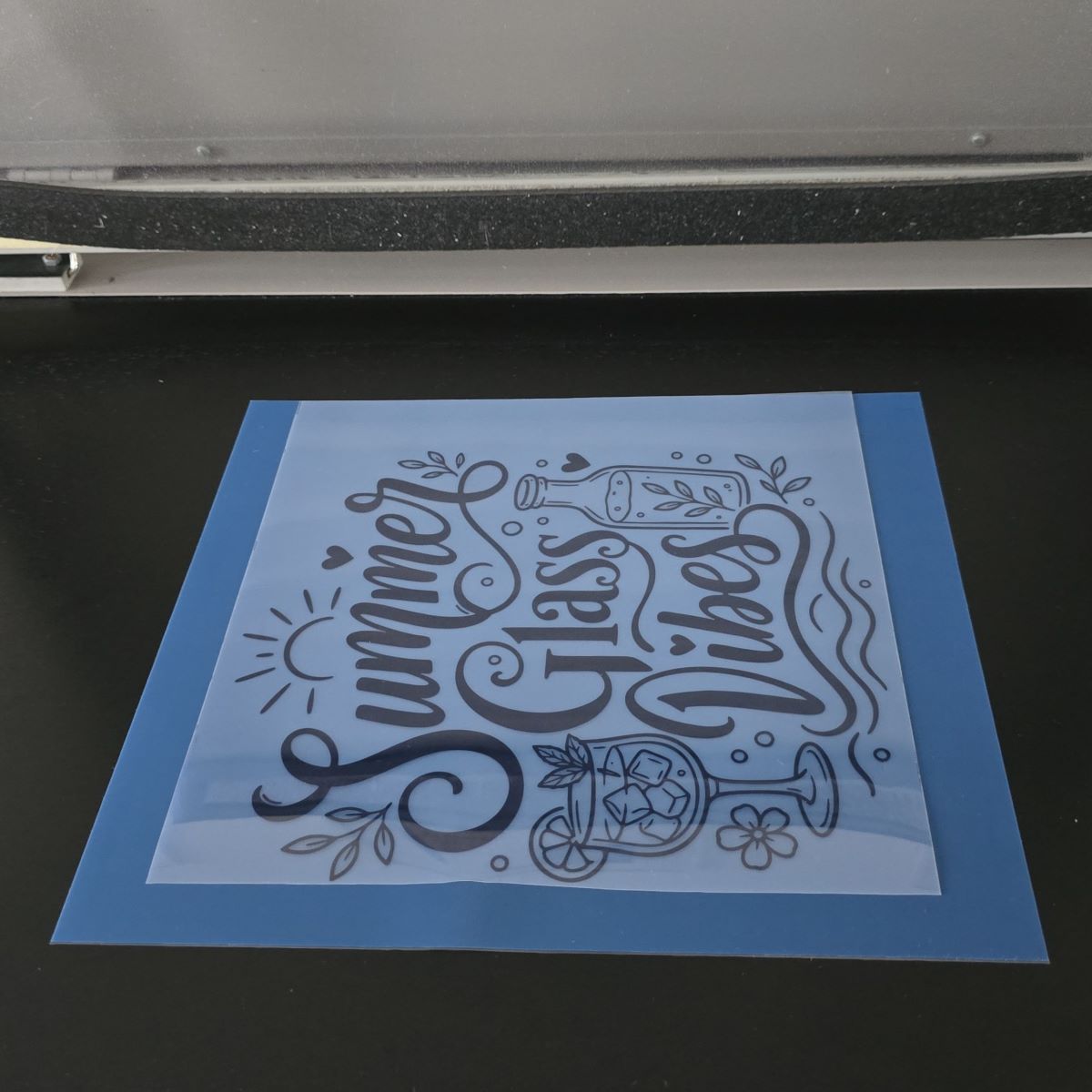
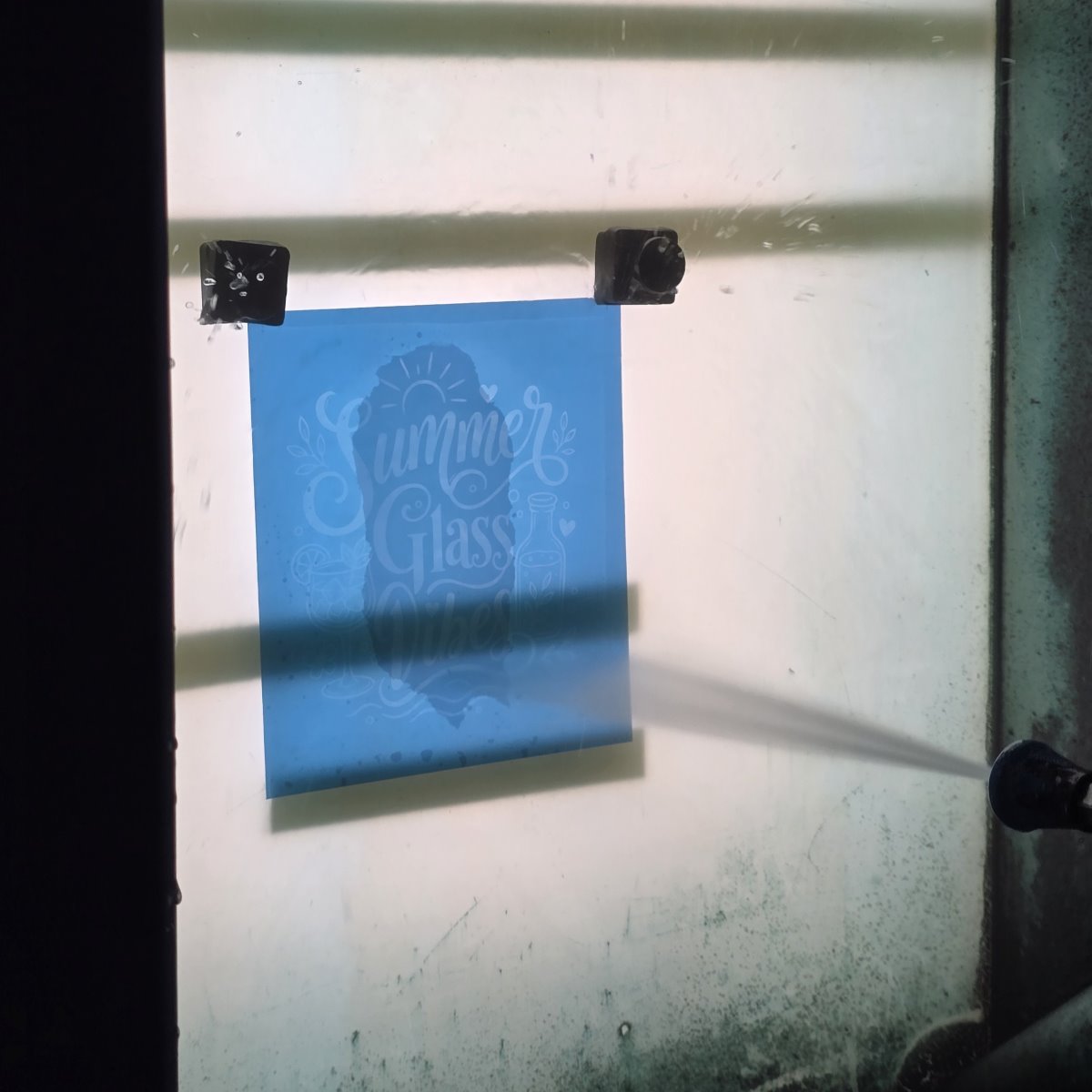
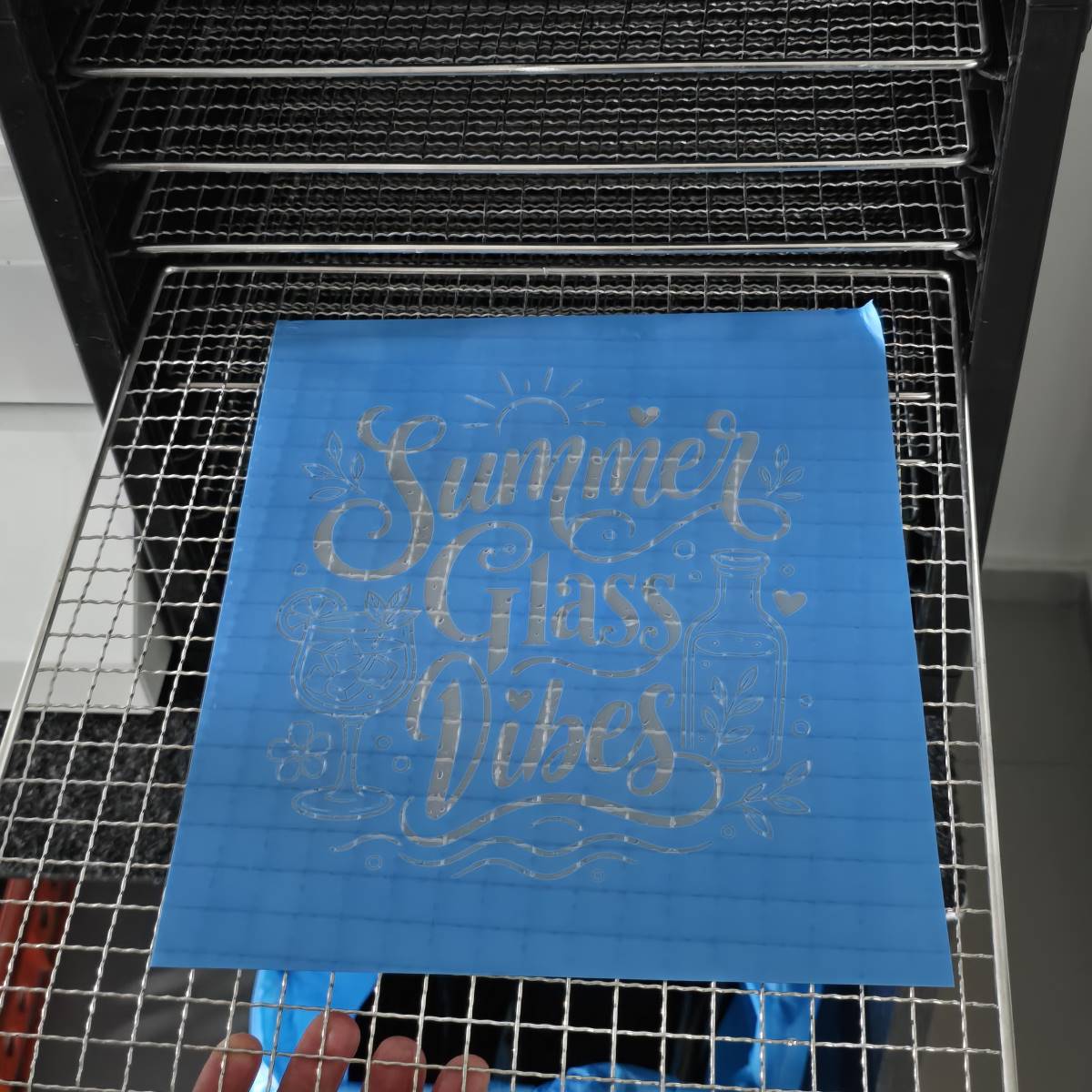
First, print the artwork onto a transparent ImageBlack master sheet, then expose the film, wash out the design, and let the stencil dry. If you already have equipment for preparing UV sandblasting stencils, you don’t need to learn an entirely new production process.
The films are compatible with various types of exposure units, including, for example:
- Hellas exposure unit
- A4 exposure unit with vacuum
- A4 exposure unit without vacuum
- A5 UV exposure unit without vacuum
The specific exposure time must always be adjusted to the exposure unit used, the light source power, and the processing conditions.
Integrated mesh allowing for repeated use of the stencil
The key difference from standard UV photosensitive films for sandblasting lies in the material’s construction. IkonArt films contain a fine mesh integrated directly into the photosensitive layer.
The mesh remains intact after the design is washed out and holds the individual parts of the stencil together. Ink can pass through the open areas of the design, while the covered areas remain protected.
Thanks to this design, the finished stencil can be used for:
- screen printing
- filling sandblasted designs with ink
- applying paint to solid surfaces
- textile decoration
- repeatedly producing the same design
When properly cleaned and stored, a stencil can be reused. This is particularly advantageous for producing small batches, personalized items, or repeating designs.
Video: Coloring the lettering on monuments
Screen printing without high upfront costs
For companies and workshops that have primarily focused on sandblasting until now, traditional screen printing equipment may be too expensive or take up too much space. IkonArt films offer a simpler way to get hands-on experience with screen printing and ink application.
If you already use an exposure unit, all you need to get started is the right film, a high-quality printed template, and tools for applying paint. This means you can use your existing equipment for preparing sandblasting stencils for other decorative techniques as well.
IkonArt is suitable for professional operations, small workshops, schools, designers, and hobbyists who want to expand their range of decorated products without a high initial investment.
TheDifference Between Blue and Purple IkonArt Foils
The IkonArt system includes two main types of foils. They differ in mesh density, adhesion, and recommended use.
A) Blue IkonArt film
The blue film has a mesh density of 120 mesh and a less aggressive adhesive layer. It is primarily intended for hard, flat, and smooth surfaces.
It is suitable, for example, for:
- glass,
- ceramics,
- acrylic,
- metal,
- smooth wood,
- flat surfaces.
Lower adhesion makes it easier to remove the stencil from smooth materials and reduces the risk of damaging the created design.
B) Purple IkonArt Film
The purple film has a mesh density of 110 mesh and a thicker adhesive layer. Thanks to its higher adhesion, it adheres better to absorbent, soft, or textured surfaces.
It is primarily used on:
- textiles,
- T-shirts,
- bags,
- coarser wood,
- other slightly textured materials.
Choosing the right film helps prevent the stencil from shifting and ink from bleeding under its edges.
Video: The Difference Between Blue and Purple Film
How to Make an IkonArt Stencil
Making a stencil consists of 4 basic steps.
.jpg)


 Settings